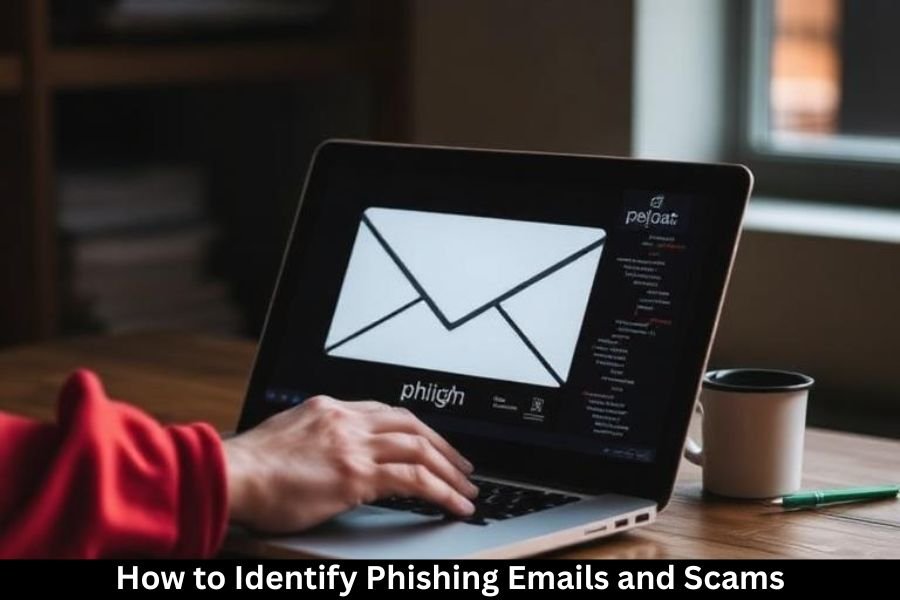
Let’s be honest—our inboxes are like digital minefields. One wrong click, and boom 💥, you’ve handed over your personal data to a scammer sitting halfway across the world. Phishing emails and online scams are no longer obvious or clumsy. They’ve evolved, sharpened their claws, and learned how humans think.
Phishing is a type of cybercrime where attackers pretend to be someone you trust—like a bank, school, company, or even a friend—to trick you into giving away sensitive information. This article breaks everything down in plain English, so you can spot scams before they spot you.
Why Phishing Scams Are Increasing Every Year
Ever notice how scams seem to multiply like rabbits? That’s because phishing works. It’s cheap, fast, and scalable. Scammers can send millions of emails in minutes, and even if only a tiny fraction fall for it, they still win.
With more people studying, shopping, gaming, and socializing online, attackers have more targets than ever. Add data breaches, leaked emails, and social media oversharing to the mix, and scammers have a goldmine of information to exploit.
How Phishing Emails Actually Work
Think of phishing like fishing 🎣. The scammer throws out bait (an email or message), hoping someone bites. That bait usually includes:
- A fake story
- A sense of urgency
- A link or attachment
Once you click, you might be redirected to a fake website that looks real or download malware that steals your data quietly in the background.
Common Types of Phishing Attacks
Email Phishing
This is the classic version. You receive an email pretending to be from a trusted company asking you to “verify” or “update” your account.
Spear Phishing
More targeted and personal. The attacker may use your name, school, or interests, making the email feel legit.
Whaling Attacks
These target high-profile individuals like administrators or managers, pretending to be executives or authorities.
Smishing and Vishing
- Smishing: Scam messages via SMS
- Vishing: Scam phone calls pretending to be support agents
Psychology Behind Phishing Scams
Fear-Based Tactics
Messages like “Your account will be suspended!” trigger panic, and panic kills logic.
Urgency and Scarcity Tricks
Scammers love deadlines. If you feel rushed, you’re less likely to think clearly.
Trust and Authority Manipulation
People are more likely to obey messages that appear to come from banks, schools, or government agencies.
Key Warning Signs of Phishing Emails
Suspicious Sender Email Addresses
Looks legit at first glance, but on closer inspection? Something’s off—extra letters, wrong domains, or random numbers.
Generic Greetings and Poor Personalization
“Dear User” or “Hello Customer” instead of your real name is a red flag 🚩.
Urgent or Threatening Language
Scammers push emotional buttons: fear, excitement, or curiosity.
Unexpected Attachments and Links
If you weren’t expecting a file, don’t open it. Period.
Spelling, Grammar, and Formatting Errors
Many phishing emails are rushed or translated poorly.
How to Inspect Links and Attachments Safely
Hovering Over Links
Without clicking, hover your mouse over the link. Does the URL match the sender?
Shortened URLs and Hidden Destinations
Short links can hide dangerous websites. Be cautious.
Dangerous File Types to Watch Out For
Files ending in .exe, .zip, or .html are common malware carriers.
Real-Life Examples of Common Phishing Scams
Fake Bank Alerts
Messages claiming “suspicious activity” on your account.
Account Verification Scams
Emails pretending to be from social media or email providers.
Prize and Lottery Scams
“You’ve won!”—even though you never entered.
Fake Job Offers
Too-good-to-be-true salaries with requests for personal info.
How Scammers Use Social Engineering
Impersonation of Trusted Brands
Logos, colors, and layouts copied perfectly.
Use of Stolen Logos and Email Templates
Scammers clone real emails to look authentic.
Emotional Manipulation Techniques
They push fear, excitement, or sympathy to control your actions.
How to Protect Yourself from Phishing Emails
Best Email Security Practices
- Never click suspicious links
- Double-check sender addresses
- Don’t share personal information via email
Using Two-Factor Authentication (2FA)
Even if your password is stolen, 2FA adds a second lock 🔐.
Keeping Software and Devices Updated
Updates patch security holes scammers love.
Using Spam Filters and Security Tools
Let technology help you fight back.
What to Do If You Receive a Phishing Email
Do Not Click or Reply
Engaging confirms your email is active.
Report the Email
Most email platforms allow reporting phishing.
Delete It Safely
Once reported, delete it and move on.
What to Do If You Fall Victim to a Scam
Immediate Steps to Take
Disconnect from the internet and scan your device.
Changing Passwords
Start with your email, then everything else.
Contacting Banks or Service Providers
The faster you act, the better the outcome.
Teaching Others to Spot Phishing Scams
Awareness spreads protection. Talk to friends, classmates, and family. One conversation can prevent real damage.
Phishing Awareness for Students and Families
Young people are frequent targets. Learning digital safety early is like wearing a seatbelt online—it just makes sense.
Future Trends in Phishing and Online Scams
With AI and automation, phishing emails will look even more real. Staying informed is your strongest defense.
Conclusion
Phishing emails and scams are everywhere, but they’re not unstoppable. Once you understand how they work and what signs to look for, you gain the upper hand. Think before you click, question urgency, and trust your instincts. In the digital world, skepticism is strength 💪.
Frequently Asked Questions (FAQs)
1. What is the biggest sign of a phishing email?
Urgent language asking for personal information or immediate action.
2. Can phishing emails look completely real?
Yes, many scams closely copy real companies.
3. Is it safe to open phishing emails if I don’t click anything?
Usually yes, but avoid downloading images or attachments.
4. Can scammers steal information without clicks?
Rare, but possible through malicious attachments.
5. How can I help others avoid phishing scams?
Share knowledge, examples, and encourage cautious behavior.